Software for your car rental business. Enter each rental once.
The rental fills in the rental agreement, and your customer signs it on their phone. At return you enter mileage and fuel level, and extra kilometers and refueling go on the invoice.
- Trial
- 30 days for €1
- After that
- €29 a month plus €25 per vehicle, excl. VAT
- Cancellation
- at the end of any billing month
- Data
- stored in the EU, data center in Ireland
Card on file with Stripe, then monthly, cancel monthly, also during the trial. The demo runs in your browser with sample data, no sign-up. The app itself is in German.
We can also walk you through sycRent: See it with us
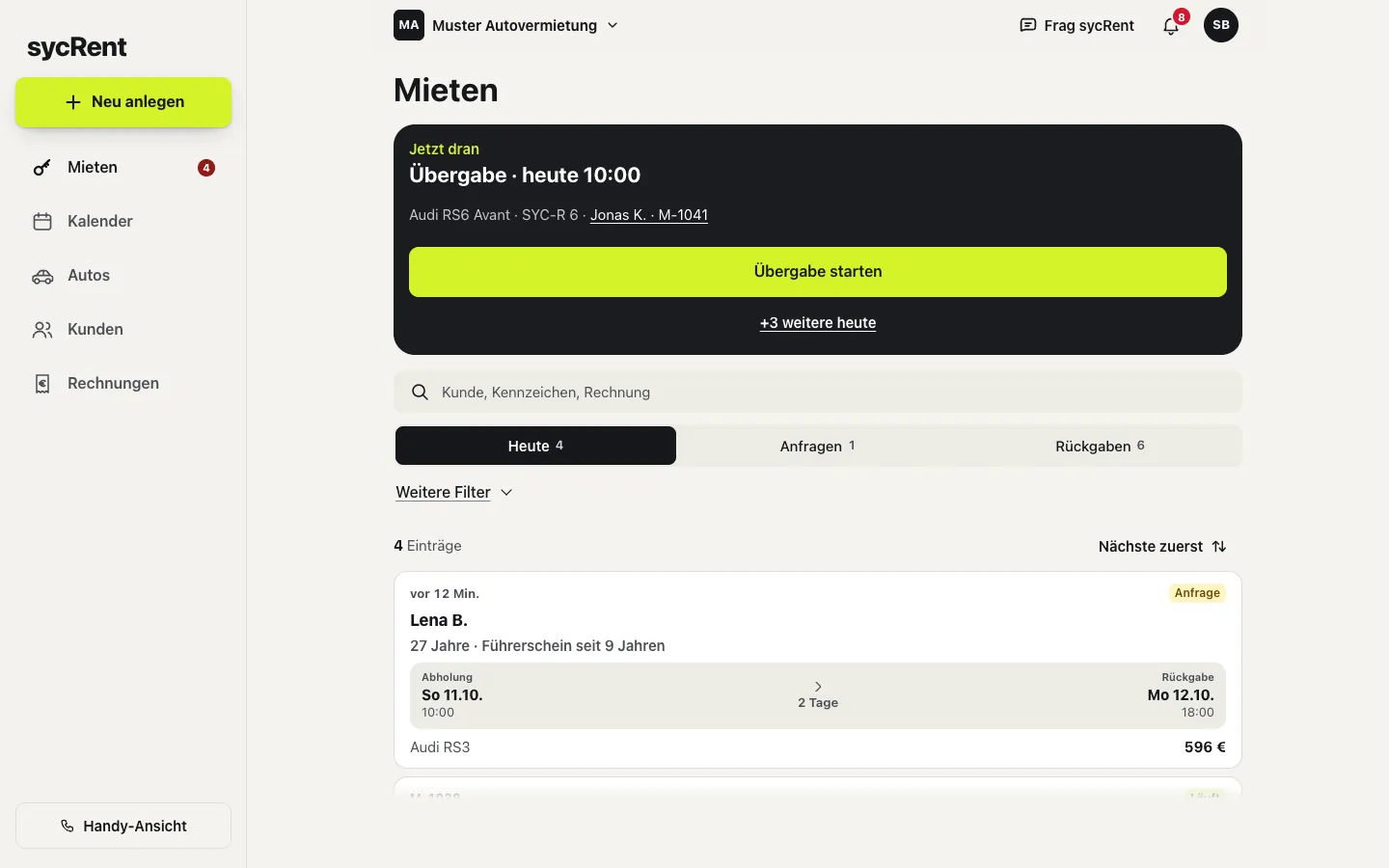
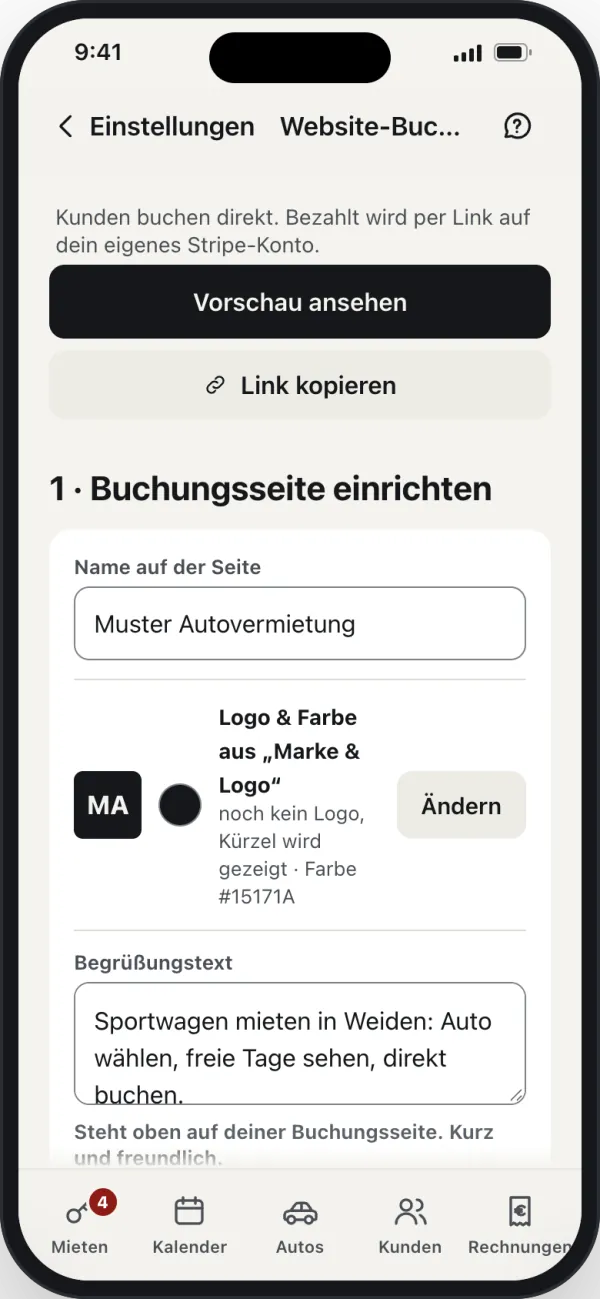
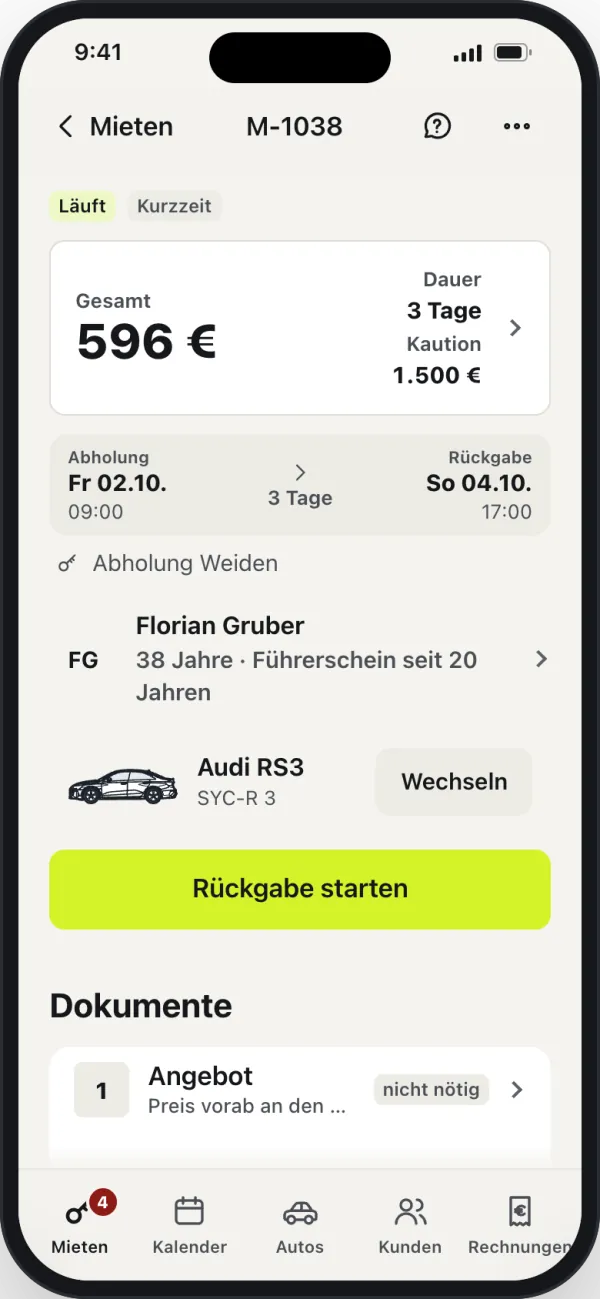
One rental creates the agreement, the inspection report, and the invoice.
Rental agreement
- Rental
- M-1038
- Car
- Audi RS3
- Plate
- SYC-R 3
- Customer
- Mehmet A.
- Included
- 400 km
- Extra kilometers
- €2.00 per km
Inspection report
- Pickup
- 23,710 km · fuel 100%
- Return
- 24,180 km · fuel 100%
Invoice
- Rental
- M-1038
- Extra kilometers (70 km × €2.00)
- €140.00
Requests through your booking page
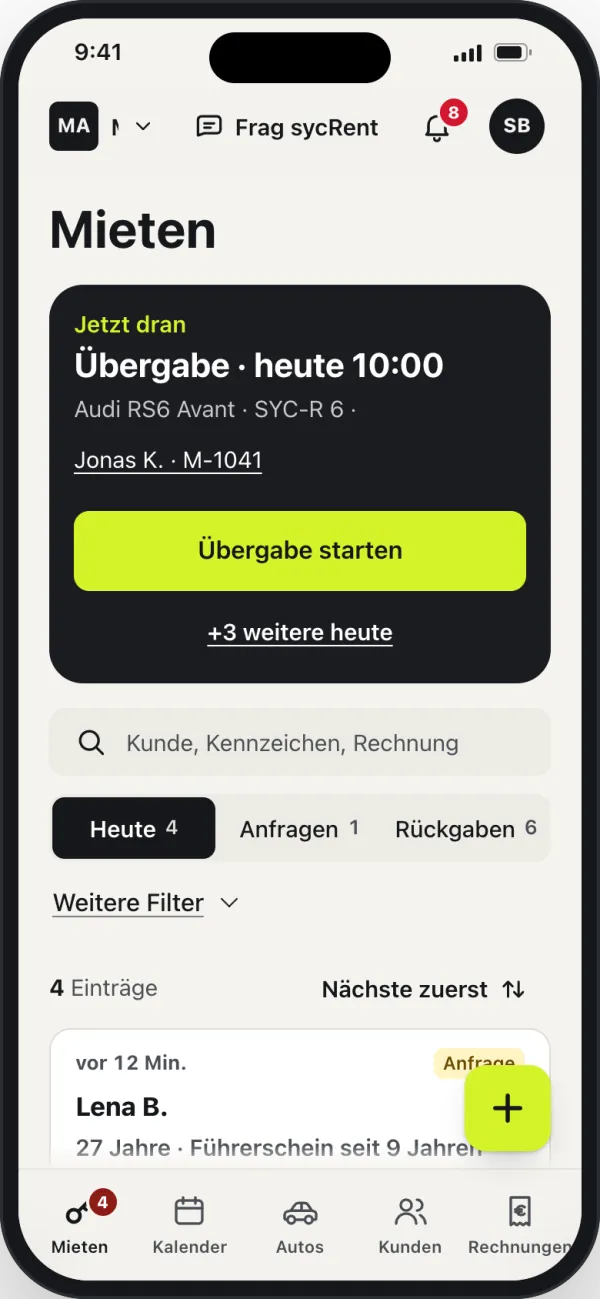
Your customer picks a car and dates on your own booking page, for example at yourname.subyourcar.de. The request shows up in the app, and one tap accepts it. Put the link on your website, your Google Business Profile or in WhatsApp.
Sign rental agreements online
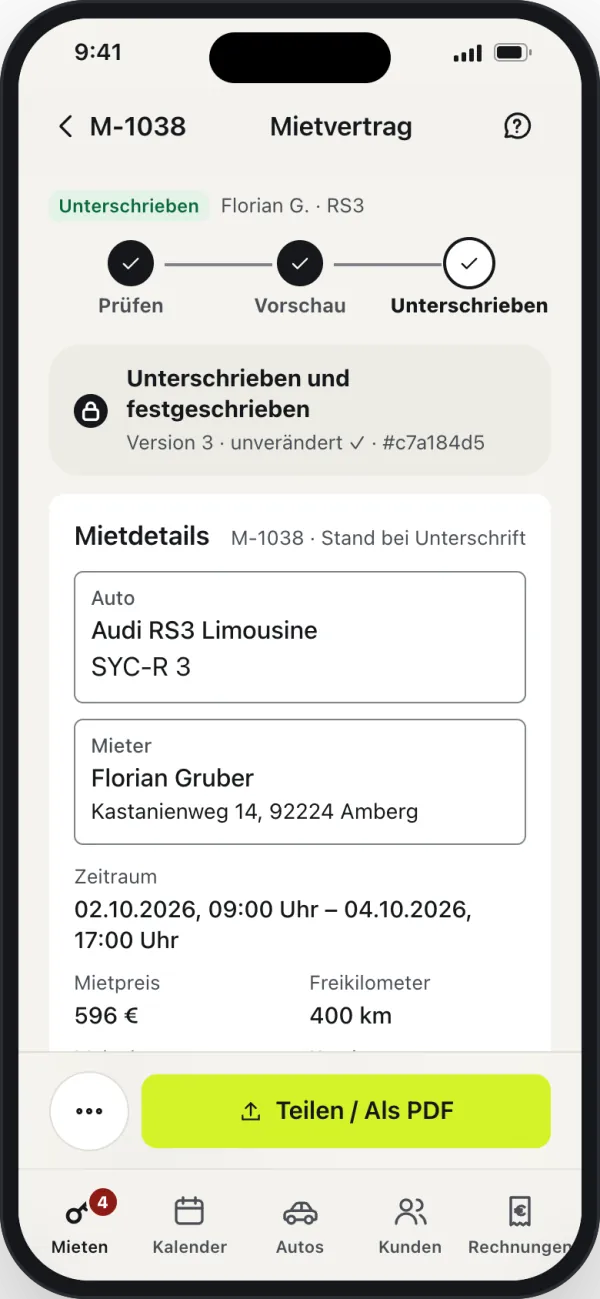
The agreement fills in from the rental: customer, car, dates, price, mileage and deposit. Use our template or your own text. You bring your own terms and conditions and add them. Your customer signs on a phone or computer, and the signed copy is saved as a PDF with the rental. You check the driver’s license and ID in person at pickup.
Pickup inspection with photos and damage diagram
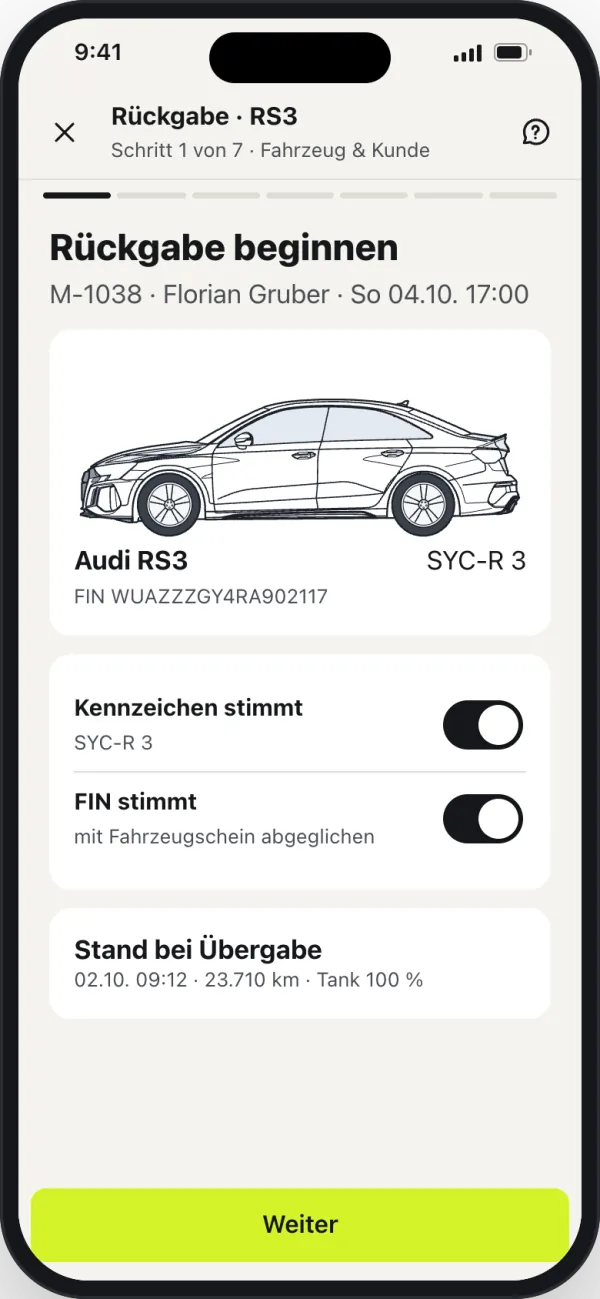
At the car, the app walks you through plate, VIN, mileage, fuel, damage and photos. You mark damage on a diagram of the model. Diagrams cover more than 100 common models plus vans, RVs, trailers and scooters. Your progress is saved on the phone, even without a connection.
Record cash deposits
You record the cash deposit at pickup, and your customer gets a receipt. After the return, you note when it was paid back.
Returns with the pickup record alongside
Mileage, fuel and damage from pickup are shown next to the return. New damage goes into the vehicle file, and extra kilometers and refueling go on the invoice.
Invoices with DATEV export
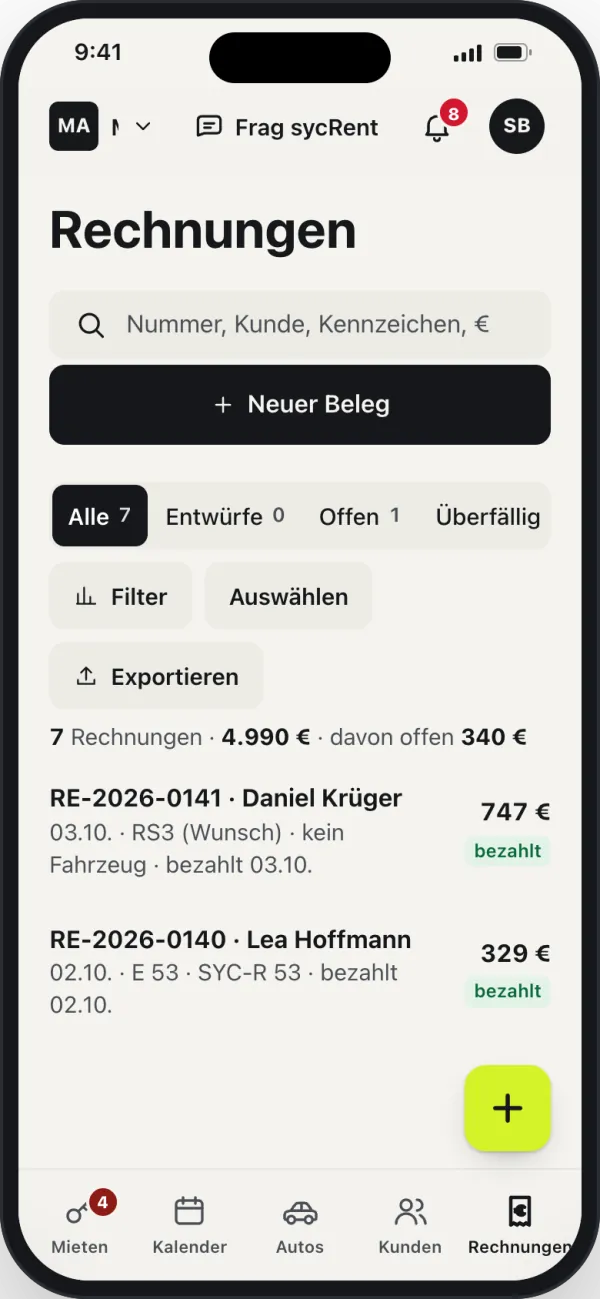
The invoice is created from the rental with a sequential number. Issued invoices stay unchanged, and corrections go through a credit note. For your tax advisor, you export PDF, CSV or a DATEV batch file.
The iPhone app is free on the App Store. On computers and Android, sycRent runs in the browser with the same data. The app itself is in German.
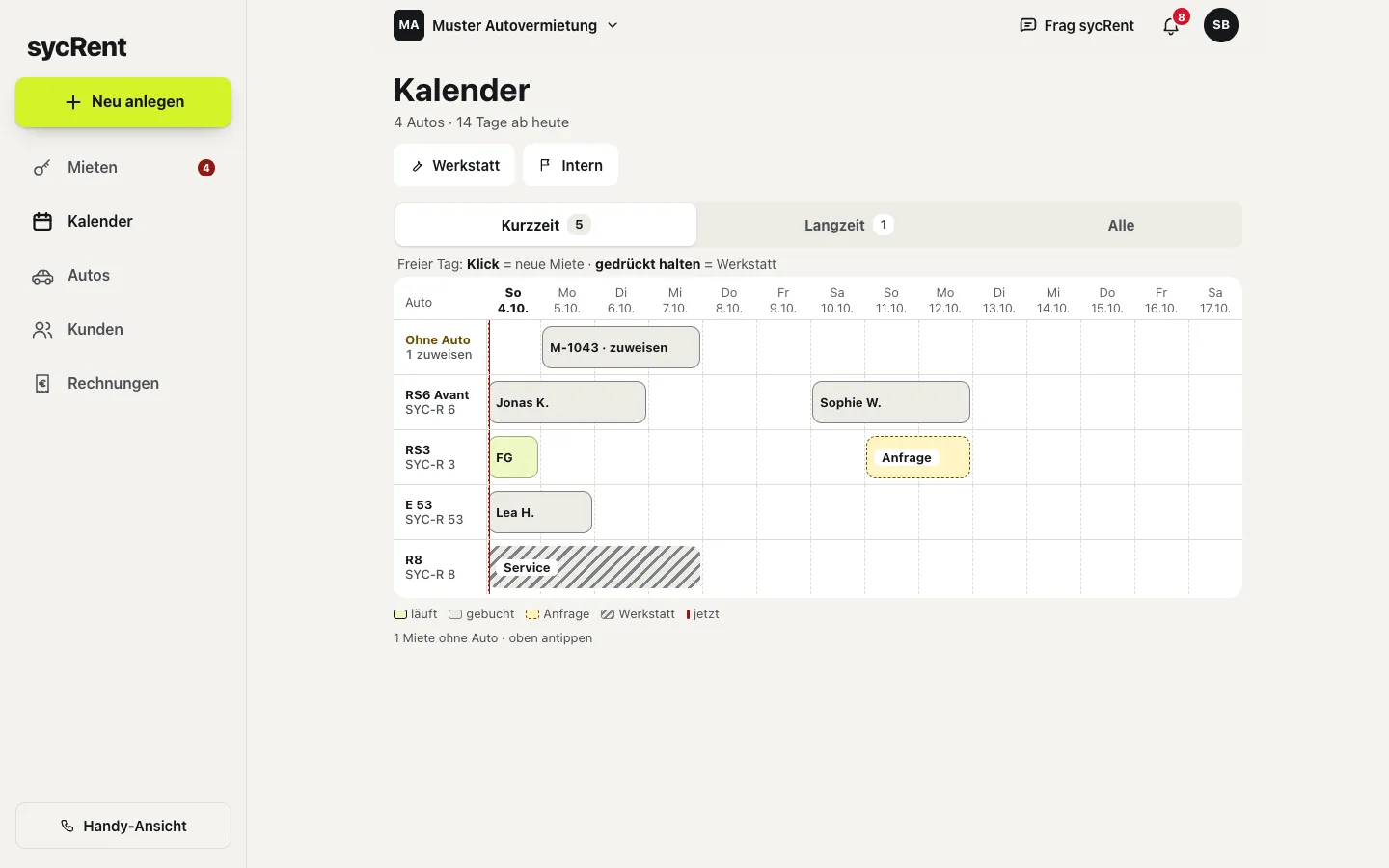
Every car gets its own row on the calendar.
Rentals sit on it as bars, and requests are dashed. Tap an open day to create a rental. Daily and long-term rentals share one calendar, and shop days show up there too. If a new rental overlaps another one, sycRent asks before creating it.
Also in sycRent
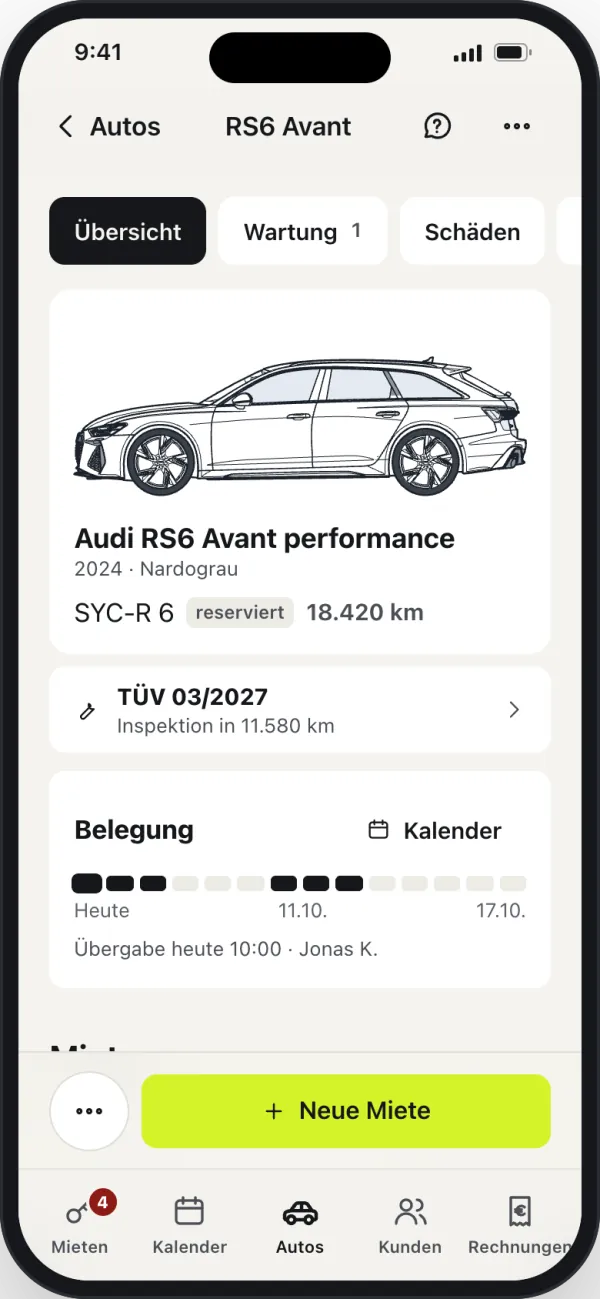
- Vehicle filesEach car shows its plate, inspection and service dates, damage, utilization and revenue.
- CustomersRentals, open balances and notes are on the customer record. Bring over an existing list from a CSV file.
- Digital check-inBefore pickup, you confirm who’s driving and get the agreement signed.
- Long-term rentalsRentals that run for months, with a monthly rate, agreement and invoice.
- Staff and permissionsOwners, staff and drivers each have their own permissions. Drivers see pickup and return, but not banking or billing.
- Promotions and emailsDiscount codes and templates with your logo. Marketing only goes to customers who opted in. Marketing emails go out through your own mailbox.
- Ask sycRentAsk in plain language, for example: Which customer had the white van in May? The assistant reads your account data and doesn’t change anything.
- ExportCustomers, vehicles, bookings and invoices as CSV, documents as PDF, photos as image files.
sycRent grew out of a sports car rental business. You manage vans, RVs and trailers the same way.
€29 a month plus €25 per vehicle, excl. VAT.
There’s no setup fee. The price depends on how many cars you have, not on how many rentals. Archived cars don’t count; billing details are in section 10 of the terms of use.
For more than 200 vehicles, email us at mail@subyourcar.com.
- Base fee
- €29.00
- 5 vehicles × €25.00
- €125.00
- Total net per month
- €154.00
- plus 19% VAT
- €29.26
- Total incl. VAT per month
- €183.26
Who runs sycRent and where your data is stored.
sycRent is provided by syc GmbH in Weiden, Bavaria. The company rents out cars itself, and sycRent grew out of that work.
- Data
- Your database and files are stored with Supabase in a data center in Ireland (Amazon Web Services, region eu-west-1). Server functions currently run in the US (Netlify). Some service providers may access data from outside the EU for operations and support, as set out in the data processing agreement.
- Data processing agreement
- Data processing agreement under Art. 28 GDPR, covering all subprocessors (in German). Read it before you order.
- Support
- In German and English by email to mail@subyourcar.com, Monday to Friday, 9 am to 5 pm. We usually reply within one business day.
- Uptime
- 98% as a monthly average. If we fall short, ask us and we credit 10% of your monthly fee for every percentage point or part of one below 98%, up to 50% (terms of use, section 15).
- Cancellation
- At the end of any billing month, no minimum term.
- Your data
- Customers, vehicles, bookings and invoices as CSV, documents as PDF, photos as image files. After your contract ends, you keep read access with export for 30 days.
See it with us
If you’d rather look at sycRent together with us, write to us. We’ll get back to you by email or phone.
Thanks, we’ll be in touch.
We received your request and will reply by email or phone.
Guides for rental businesses
With sources: what belongs in rental agreements, inspection reports and invoices. The guides are in German.
Questions about sycRent
Can I try sycRent first?
Yes. The demo opens right away in your browser with sample data, no sign-up. Nothing is sent or saved, and a few steps are only simulated. With your own account, you get 30 days for €1. Sign up in your browser or the iPhone app, then put your card on file with Stripe. Online payments through your Stripe account and marketing emails start once you subscribe. After 30 days the subscription continues monthly, and we email you three days before. You can cancel any month, also during the trial, and your data stays in your account. If you’d rather have us walk you through it, book a walkthrough under “See it with us.”
What does another car cost?
€25 net per vehicle per month. The €29 net monthly base fee is charged once per account. Example: 5 cars cost €154.00 net (€183.26 incl. VAT) per month. Archived vehicles don’t count. Billing details are in section 10 of the terms of use.
Is there a setup fee or minimum term?
No. There’s no setup fee and no minimum term. You can cancel at the end of any billing month, in the app or by email. Details are in the terms of use.
Is there a sycRent app?
Yes. sycRent has been on the App Store since November 2026 as a free iPhone app (German only). On computers and tablets it runs in the browser. On Android phones you use the browser and can add it to your home screen. Your data is the same everywhere.
Can I use my own terms and conditions?
Yes. Add your own terms and they appear in every rental agreement. Build the agreement with placeholders or start from the sycRent template. We don’t provide terms, so have yours reviewed by a lawyer.
How do my customers sign the rental agreement?
Online. Your customer gets a link, reads the agreement on a phone or computer and signs with a finger or mouse. After that the text can’t be changed; changes require an addendum. The signed copy is saved as a PDF with the rental.
Where is my data stored?
Your data is stored in the EU, in a data center in Ireland (Supabase, EU-West region). Server functions currently run in the US (Netlify), and service providers may access data from outside the EU for operations and support. Every recipient and legal basis is listed in Annex 2 of the data processing agreement under Art. 28 GDPR.
Is there a DATEV export?
Yes. You can export invoices as PDF, CSV or a DATEV batch file for your tax advisor.
Does sycRent meet GoBD requirements?
Issued invoices are locked and numbered in sequence, and corrections go through a credit note. GoBD also requires procedural documentation that you keep for your own business. Check with your tax advisor if you’re unsure.
Which vehicles can I manage?
Cars, sports cars, vans, RVs, trailers and scooters. Damage diagrams cover more than 100 common models.
Can I use my own domain?
You get your own booking address, for example yourname.subyourcar.de, to link from your website and Google. If you want your own domain, such as booking.your-company.com, write to us through the form.
Can I manage daily and long-term rentals?
Yes, in the same calendar: daily rentals with pickup and return times, plus long-term and subscription rentals that run for months.
Can I take my data with me?
Yes, any time: customers, vehicles, bookings and invoices as CSV; agreements, reports and invoices as PDF; photos as image files. After your contract ends, you keep read access with export for 30 days.
Who’s behind sycRent?
sycRent is made in Weiden, Bavaria. The provider is syc GmbH, which also rents out cars. Details are in the sycRent legal notice.
Try it with your own cars.
Create your account in your browser or the iPhone app, add your company details, cars and terms, and share your booking link.