Vehicle inspection app: document damage properly
The app walks you through pickup and return step by step. You mark damage on a diagram of the exact model, and photos attach to the report. At return, the pickup condition appears right next to it.
Try 30 days for €1, card on file, then cancel monthly. €29 base fee + €25 per vehicle per month, net plus 19% VAT.
Updated: · Provider: syc GmbH
Pickup step by step
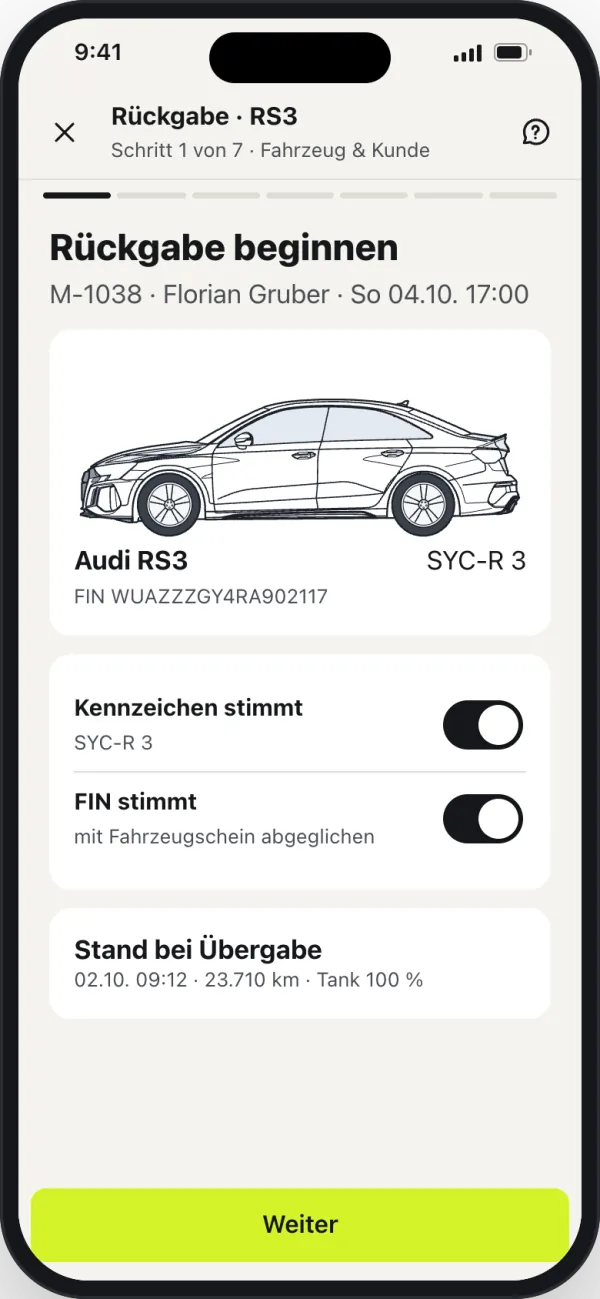
- Check vehicle and customer: license plate, VIN, driver’s license.
- Mileage and fuel: read them off the dashboard and enter them, or the charge level of an EV.
- Damage: known damage is already on the diagram; tap to add new damage and describe it.
- Photos: taken in the app and attached to the rental’s report.
- Signature: your customer confirms the condition on a phone or tablet.
Damage diagram instead of free text
Mark damage on a diagram of the model, from the front, rear, both sides and from above. Each damage entry has a type, description and date and stays in the vehicle file until it’s repaired. Diagrams cover more than 100 common models, plus vans, RVs, trailers and scooters.
Interior from above
A top view without the roof shows seats, dashboard, steering wheel, center console and trunk as separate areas you can tap, for example for a burn mark on a seat.
More accurate diagrams per model
We’re redrawing the diagrams model by model from the outline of the real vehicle, starting with the most common models.
Return: old and new side by side
At return, the app shows the pickup condition alongside: mileage, fuel and damage. New damage stands out right away. Extra kilometers and refueling carry over from the report to the invoice without retyping. New damage goes into the vehicle file and the rental’s history.
Paper, PDF or app?
A paper report is better than none. The app adds three things: photos clearly belong to the report, the pickup condition sits next to the return, and the mileage reaches the invoice without retyping. In Germany, an owner’s claims for damage to a rented car expire six months after the return (§ 548 BGB), so a complete report on the day of return matters.
Frequently asked questions
Does it work on a phone?
Yes. Use the iPhone app or your phone’s browser. The report is built for it: large buttons, one step at a time.
Is there a diagram for my model?
More than 100 common models have their own diagram, plus vans, RVs, trailers and scooters.
Can I mark interior damage?
Yes. In the top view without the roof, you can tap seats, dashboard, steering wheel, center console and trunk one by one.
How does “30 days for €1” work?
You create an account in your browser or the iPhone app and put your card and billing address on file with Stripe. For 30 days you work with rentals, agreements, pickups and invoices for €1 net. Online payments through your Stripe account and marketing emails start with the subscription. After 30 days the subscription continues: €29 base fee plus €25 per vehicle per month, net. We email you three days before. You can cancel any month, also during the trial. Your data stays in your account.
More about sycRent
- Digital rental agreementYour customer signs on a phone, and the signed copy is locked.
- Online bookingYour own booking page: customers send requests, you accept with one tap.
- Pricing€29 base fee + €25 per vehicle per month, net, with examples.
- sycRent overviewCar rental software: all features, screenshots of the app and the price.
Try sycRent for 30 days for €1.
Try 30 days for €1, card on file, then cancel monthly. You can also open the demo with sample data first, no sign-up.