Digital rental agreements your customers sign on their phone
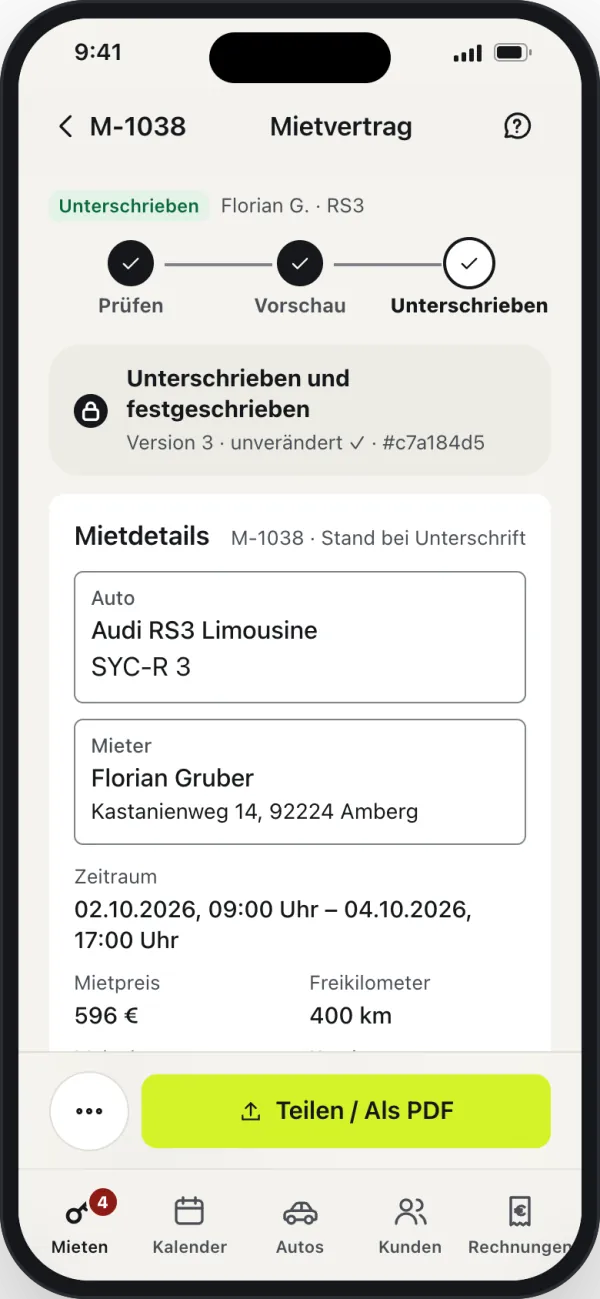
sycRent fills in the agreement from the rental, and your customer reads and signs it on a phone or computer. The signed copy is saved as a PDF with the rental and can’t be changed.
Try 30 days for €1, card on file, then cancel monthly. €29 base fee + €25 per vehicle per month, net plus 19% VAT.
Updated: · Provider: syc GmbH
How it works
- Create the rental or accept a request. Customer, car and dates are set, and the price comes from your rates.
- Send the agreement. sycRent fills in your template. Your customer gets a link by email or WhatsApp.
- Your customer signs. They read the agreement on a phone or computer and sign with a finger or mouse.
- The signed copy is saved. It’s a PDF in the rental. Share it, print it or send it again.
Your template, your terms
Build the agreement with placeholders yourself, for example from your current Word document, or start from the sycRent template. The template covers the usual points of a car rental agreement but contains no terms and conditions. You add your own, so they fit your business and your insurance. Templates and agreements are in German, since sycRent is built for Germany.
Driver’s license and ID at pickup
If your customer signs ahead of time, pickup is quick: you check the driver’s license and ID in person and compare them with the customer. Checking every driver’s license is still your job as the vehicle owner. Uploading documents through a check-in link isn’t available in real accounts yet; the demo only simulates it.
Is an online signature valid in Germany?
German law doesn’t require a specific form for a car rental agreement, so a simple electronic signature, such as a finger signature on a phone, is generally enough. In a dispute, the record matters: an unchanged copy, the time of signing and how the link was sent. For your specific case, ask a lawyer.
After signing
- The signed text is locked. Nobody can change it, including you.
- If something changes, such as longer dates, you create an addendum that the customer signs.
- If you delete an agreement, you have to give a reason, and it’s recorded in the history.
- The PDF stays with the rental, next to the inspection report and the invoice.
Frequently asked questions
Do I need a qualified electronic signature?
Generally no. German law doesn’t require one for a car rental agreement; a simple electronic signature with a good record is usually enough.
Does sycRent provide terms and conditions?
No. The template contains no terms. You add your own, so have them reviewed by a lawyer.
What if something changes after signing?
You create an addendum. The signed original stays unchanged.
How does “30 days for €1” work?
You create an account in your browser or the iPhone app and put your card and billing address on file with Stripe. For 30 days you work with rentals, agreements, pickups and invoices for €1 net. Online payments through your Stripe account and marketing emails start with the subscription. After 30 days the subscription continues: €29 base fee plus €25 per vehicle per month, net. We email you three days before. You can cancel any month, also during the trial. Your data stays in your account.
More about sycRent
- Vehicle inspection appMileage, fuel, damage on the model diagram, photos. Return next to pickup.
- Online bookingYour own booking page: customers send requests, you accept with one tap.
- Pricing€29 base fee + €25 per vehicle per month, net, with examples.
- sycRent overviewCar rental software: all features, screenshots of the app and the price.
Try sycRent for 30 days for €1.
Try 30 days for €1, card on file, then cancel monthly. You can also open the demo with sample data first, no sign-up.