Online booking for your car rental
Customers choose a car and dates on your own booking page and send a request. It shows up in the app, and one tap accepts it. The page shows only dates that are open in your calendar.
Try 30 days for €1, card on file, then cancel monthly. €29 base fee + €25 per vehicle per month, net plus 19% VAT.
Updated: · Provider: syc GmbH
What your customers see
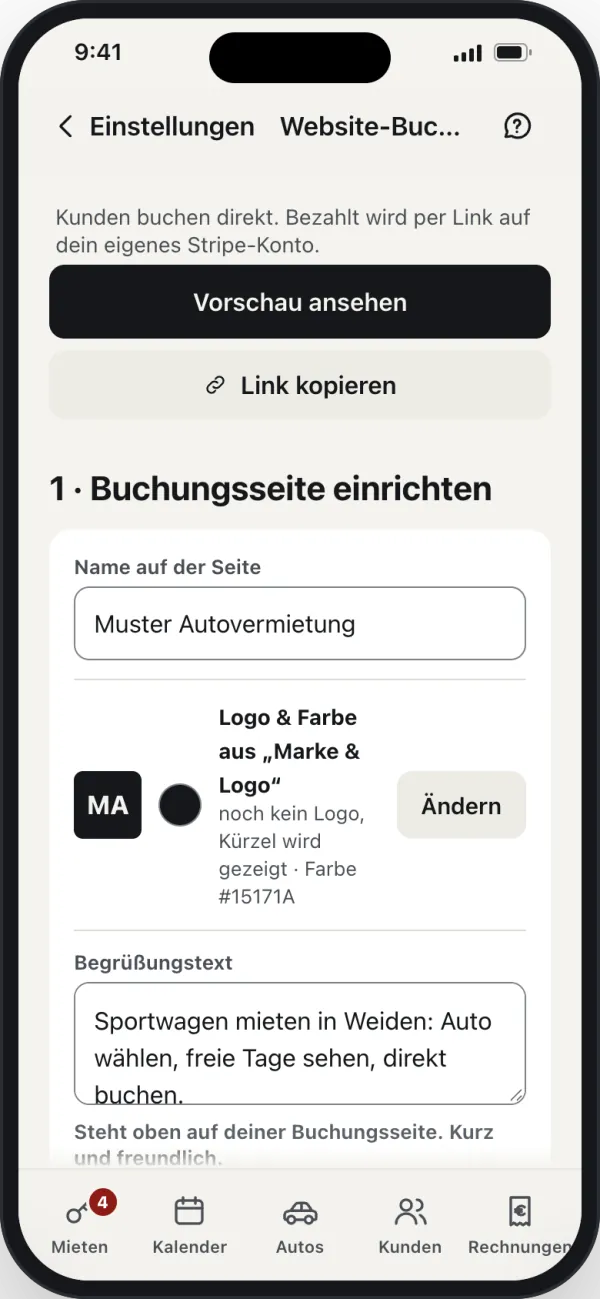
Your customer opens your booking page, picks a car and dates and sees the price from your settings: daily rate, included kilometers and extras such as an additional driver. Then they enter their details and send the request.
Accepting requests and getting paid
- Request: it arrives in the app as a new request. You check it and accept it with one tap.
- Payment link: once your Stripe account is connected, you can send the customer a payment link after you accept. The rental counts as paid only when Stripe confirms the payment.
Paying directly on the booking page isn’t available yet. Payments run through your own Stripe account, connected once. Stripe pays out to your bank account; the money never goes through sycRent.
Adding it to your website
You don’t need a developer. The booking page has its own address, for example yourname.subyourcar.de, which you can link anywhere: a “Book now” button on your website, your Google Business Profile, WhatsApp and Instagram. Setup takes five steps with a preview, and a test request shows you what arrives.
Your rules
- minimum rental period
- minimum driver age and years licensed, per car
- discount codes from your campaigns
- extras such as additional driver and protection packages
Frequently asked questions
Does online booking cost extra?
No, it’s included. When customers pay online, Stripe charges its own fee per payment.
Do I need my own website?
No. The booking page works on its own. If you have a website, link to it with a button.
Where does the money go?
Straight to your own Stripe account and from there to your bank account, never through sycRent.
How does “30 days for €1” work?
You create an account in your browser or the iPhone app and put your card and billing address on file with Stripe. For 30 days you work with rentals, agreements, pickups and invoices for €1 net. Online payments through your Stripe account and marketing emails start with the subscription. After 30 days the subscription continues: €29 base fee plus €25 per vehicle per month, net. We email you three days before. You can cancel any month, also during the trial. Your data stays in your account.
More about sycRent
- Digital rental agreementYour customer signs on a phone, and the signed copy is locked.
- Vehicle inspection appMileage, fuel, damage on the model diagram, photos. Return next to pickup.
- Pricing€29 base fee + €25 per vehicle per month, net, with examples.
- sycRent overviewCar rental software: all features, screenshots of the app and the price.
Try sycRent for 30 days for €1.
Try 30 days for €1, card on file, then cancel monthly. You can also open the demo with sample data first, no sign-up.